AddToAny Blog
Threads share button
The Threads share button is now fully available from AddToAny on all major platforms, including the web!
Like we said, as soon as Threads deployed an official sharing endpoint for the web, AddToAny would support it. The Threads team listened to our feedback, and promise fulfilled! AddToAny had the new Threads endpoint live within a few minutes of the news.

You may have already noticed the Threads share button on mobile, especially if you pre-enabled it using the WordPress share plugin. Beginning today, the Threads share button is available on both desktop and mobile.
For fans of the AddToAny browser extension for Chrome or Firefox, look for Threads in an update soon!
Replace AddThis with AddToAny, the AddThis alternative
This month Oracle (the owner of AddThis, a platform similar to AddToAny) posted a notice that they are terminating all AddThis services after May 31, 2023. So:

We warmly welcome AddThis users to AddToAny, the original universal sharing platform.
AddToAny is the perfect drop-in replacement for AddThis. Since launching similar platforms way back in 2006, AddToAny & AddThis have quite a bit of overlap in design & features. There are some major upgrades in migrating to AddToAny too:
- User privacy. We limit the data we process, don’t track users, and don’t sell data. We’ve also long supported local caching of our assets.
- Native sharing on major platforms. AddToAny supports the native share menus on iOS & Android, and provides our universal menu for other platforms.
- AddToAny is technically light as a feather and built with extraordinary care. Our main script weighs in at a super-light 1.8 kB compressed. It takes advantage of modern HTTP multiplexing, so it loads only what’s needed as fast as possible over a single connection (with graceful fallbacks for older HTTP/1.x). All without compromising your PageSpeed score.
- Deep flexibility with AddToAny floating buttons, follow buttons, image sharing, share counters, and much more.
Switching to AddToAny on any platform
Generally, any website can get the AddToAny HTML code and customize it, and we have a guide on how to remove AddThis and install AddToAny.
We also have some official platform recommendations…
WordPress sites: Get the popular AddToAny plugin.
Drupal sites: Get the popular AddToAny module.
Cloudflare sites: Check out the no-code AddToAny app.
See also: Joomla, Tumblr, Blogger, and other platforms.
Replacing AddThis code with AddToAny code
If you have AddThis code manually installed on your site, the switch to AddToAny involves some search & replace. Check out our detailed guide:
Replacing AddThis with AddToAny
Publishers & developers: Is there a particular AddThis feature you’re looking for in AddToAny, or something we can do to make migrating to AddToAny easier? Let us know!
Get back your share counts after a move to HTTPS or a URL change
AddToAny Share Count Recovery is a free & mighty feature for publishers using share counters.
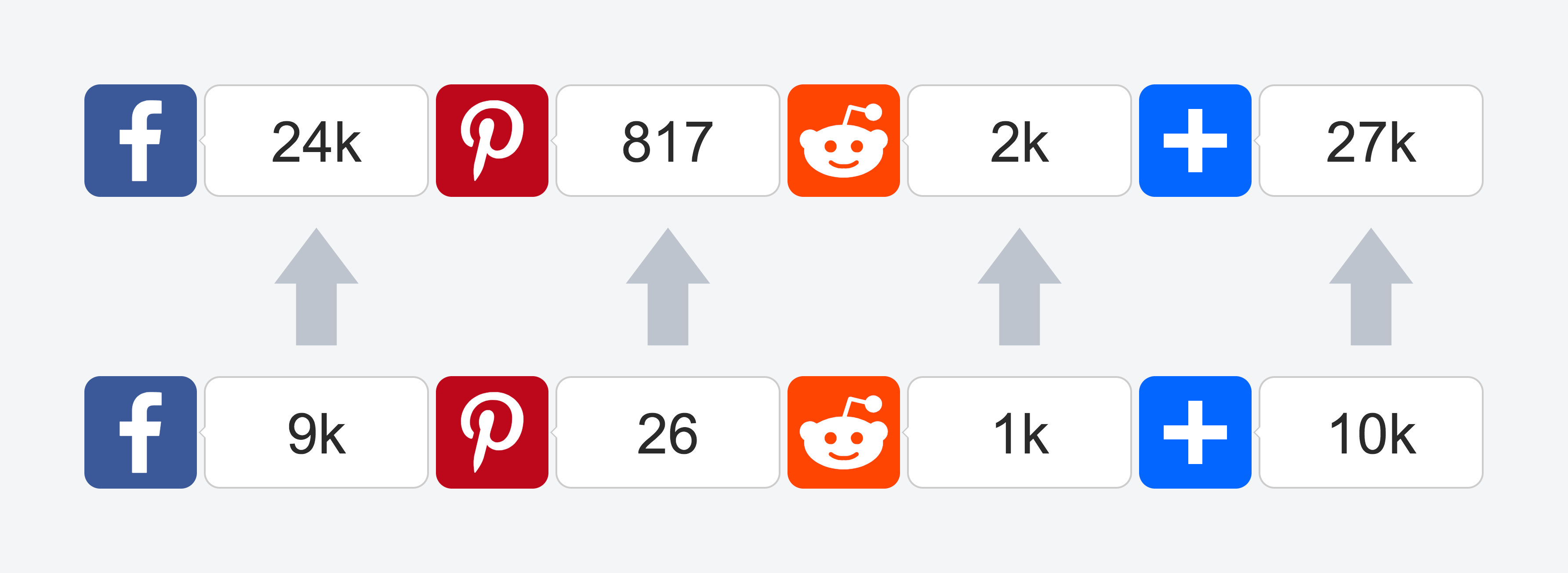
You can recover lost share counts when moving to HTTPS, a new domain name, or a new URL structure. A previous URL’s share counts are simply added to the current URL’s share counts, so you won’t lose your new counts.
HTTPS + HTTP
As websites transition from plain HTTP to encrypted HTTPS, publishers are finding that share counts — especially Facebook Likes — reset to zero. This is because Facebook considers http://example.com/ and https://example.com/ to be completely different URLs.
Facebook offers technical guidance on how developers can redirect URLs and exempt their crawler from redirects to retain share counts. This is doable for some developers and WebOps teams, but the Facebook crawler exemption can be difficult to setup, awkward to maintain, and it still doesn’t cover Pinterest and Reddit.
With AddToAny share count recovery, it’s just one line to combine counts for the HTTP and HTTPS versions of shared URLs.
HTTP recovery applies to Facebook, Pinterest, and Reddit. Some services — such as Tumblr — are ‘protocol neutral’ with shared URLs, meaning they consider http://example.com/ to be the same as https://example.com/. So if you’re only recovering HTTP counts, AddToAny skips the extra lookup for unaffected services such as Tumblr.
New domain + Old domain
Whether you’ve switched to a new domain name or a new subdomain, AddToAny has your domain recovery needs covered too.
Just place your old domain name in a line of code as demonstrated in the share count recovery docs.
New path + Old path (and other URL changes)
For more complex changes, AddToAny lets you script out your own recovery logic within a custom JavaScript function. A helpful data object is passed to your custom recovery function, making it convenient to reconstruct an old URL structure based on parts of the shared URL, such as the domain, protocol, and pathname parts. You can also get values from any HTML data-* attributes you may have provided, such as a post ID, day, month, or year.
Recover share counts with AddToAny
See the WordPress, Drupal, and HTML guides for how to use share count recovery to get your share counts back.