AddToAny Blog
Share to Facebook, Twitter (and over 100 more) from Google Reader
The Google Reader team recently released a flurry of features, one of which allows you to share to a flurry of destinations from Google Reader.

As Google Operating System, TechHail, diTii, and other sites pointed out, you can set AddToAny as your primary “Send to” service. This will allow you to bookmark and share to Facebook, Twitter, MySpace, Google Bookmarks, Yahoo Bookmarks, Digg, Reddit, Buzz, the moon, and more — including e-mail!
How to?
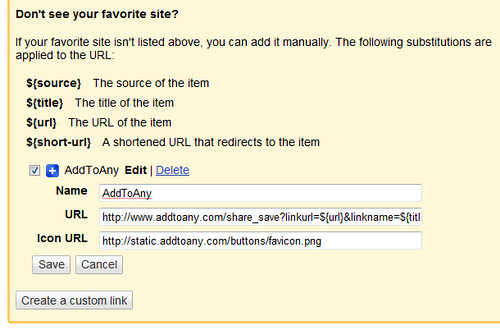
In Google Reader, go to Settings > Send To > Create a cutom link, then copy and paste the following for each field:
Name: AddToAny
URL: https://www.addtoany.com/share?linkurl=${url}&linkname=${title}
Icon URL: http://static.addtoany.com/buttons/favicon.png
After saving, you’ll be able to share and bookmark to any service by clicking Send To > AddToAny under any post.